Search Keyword
To get the Search keyword in the command line, press MA + Move (= Search).
You can also type Searchor the shortcut Sea in the command line.
Description
The Search Keyword searches for objects and values in the show. For more information see search and replace.
Important
Information:
If you search only for a value, it will be searched for dimmer attributes.
The Search keyword is a function keyword.
Syntax
Search [search for objects] ( At [search values] ) If [search in objects]
Example
- Search for places in which fixtures 1 through 10 are used, e.g. presets, groups, or sequences. Type the following into the command line:
[Channel]> Search Fixture 1 Thru 10
- A search pop-up opens.
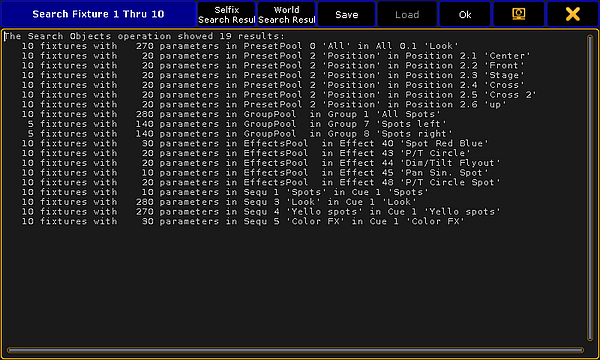
Search results
For more information on the search function and further examples see Search.
Source: key_keyword_search.html (grandMA2 manual v3.9)