SetVar Keyword
To go to the SetVar keyword, type SetVar in the command line or use the shortcut SetV.
Description
The SetVar keyword sets global show variables. Every user profile can use these variables. For more information, see Macros - Use Variables.
Syntax
SetVar $variablename = numericvalue
SetVar $variablename = "text"
SetVar $variablename = ("text")
SetVar $variablename = nothing
Hint
To see the set variables in the command line feedback window, use the ListVar keyword.
Examples
Create a macro in the macro pool that asks "Which song?", and opens the respective page.
-
Open the Macro Pool.
-
Press Edit and tap on a empty macro pool tile.
The Edit Macro pop-up opens.
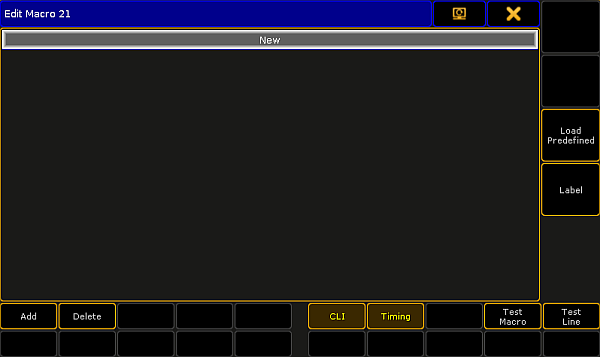
Edit Macro Pop-Up
- Tap Add.
The Edit CMD pop-up opens.

Edit CMD (= Command) Pop-Up
- Type
SetVar $Songname = ("Which song?")
Important
Quotes are necessary to indicate a text string. If you do not indicate a text string by quotes, the console interprets the text as commands.
- Type
Page $"Songname"
The macro is ready to use.
- Delete a variable.
[Channel]> SetVar $CueNumber =
Source: key_keyword_setvar.html (grandMA2 manual v3.9)