Delete MA Network Switch from the network configuration
Use these steps to delete the MA Network Switch from the network configuration.
- Open the MA Network Configuration.
- Press Setup, and tap under Network MA Network Configuration.
The MA Network Configuration window opens. - Tap at Network Switch.
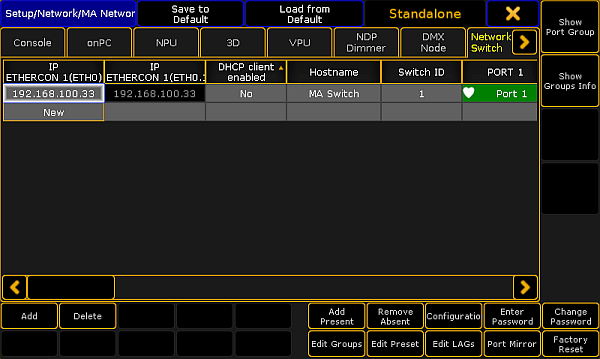
MA Network Configuration window 3. Tap Delete.
The MA Network Switch is deleted from the network configuration.
Source: key_control_ma_switch_delete.html (grandMA2 manual v3.9)