Disable SNMP
SNMP (Simple Network Management Protocol) is an Internet Standard that collects and organizes information about devices managed on IP networks.
Hint
The SNMP is enbled by default.
Requirement:
To disable SNMP:
- Open the MA Network Configuration:
-Press Setup and tap Network MA Network Configuration.
-The window MA Network Configuration opens.
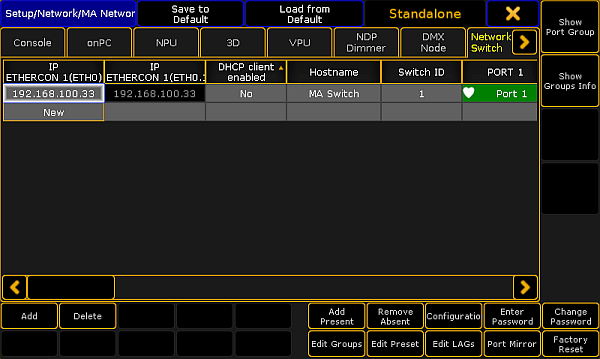
MA Network Configuration – Network Switch
- Tap Network Switch.
- Move the scrollbar to the right.
- Tap and hold the cell in the column SNMP enabled.
- No is displayed.
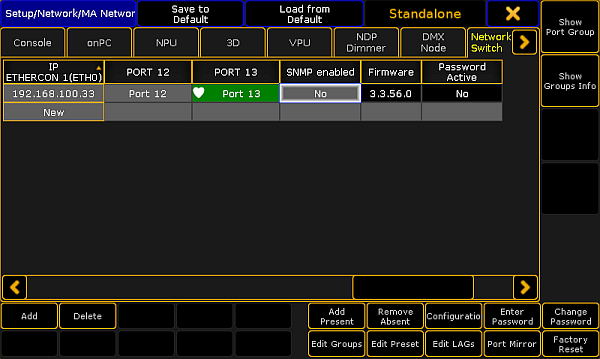
Disable SNMP
The SNMP is disabled. The settings are saved in the startup configuration.
Source: key_control_ma_switch_snmp.html (grandMA2 manual v3.9)