Preset Pool "Dynamic"
The preset pool Dynamic is a pool that automatically displays the preset type which is currently enabled in the preset control bar.
Open the Preset Pool "Dynamic"
To open the preset pool Dynamic:
- Tap anywhere in the user-defined area.
- The pop-up Create Basic Window opens.
- Tap Presets.
- Tap Dynamic.
- The preset pool Dynamic opens.
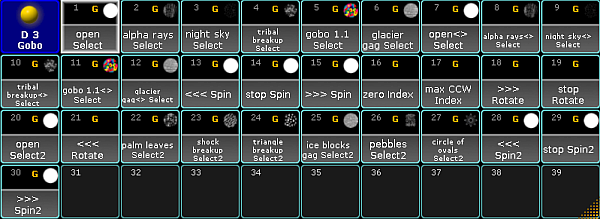
Dynamic pool – Gobo
Close the Preset Pool "Dynamic"
To close the preset pool, tap  in the upper left corner of the pool and tap Delete Window.
Source: key_presets_dynamic_pool.html (grandMA2 manual v3.9)