Prvw (Preview) Key
Explained in (1)
- Explanation: The programmer
The key Prvw (Preview) is located in the command area on the left of the key Assign.
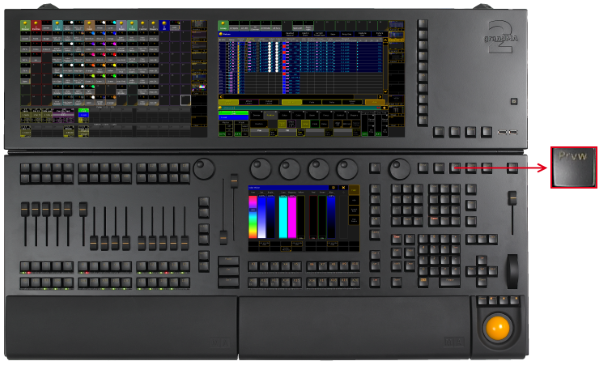
Location Key Prvw (Preview)
- Pressing Prvw enters the Preview keyword into the command line and opens the preview encoder bar.
[Channel]> Preview

Encoder Bar - Preview
- Pressing Prvw Prvw executes the PreviewEdit keyword. Preview Edit is on. To close Preview Edit press Prvw Prvw again.
[time] : Executing : PreviewEdit
- If there is already a function keyword in the command line, pressing Prvw executes the function keyword with the PreviewExecutor keyword.
[time] : Executing : Go PreviewExecutor
- Pressing and holding Prvw + and pressing an executor button, for example 1, executes the Preview keyword with the option /add.
[time] : Executing : Preview ExecButton 1 /add
Source: key_key_preview.html (grandMA2 manual v3.9)