Move Key
The key Move is located in the command area on the right of the key Group.
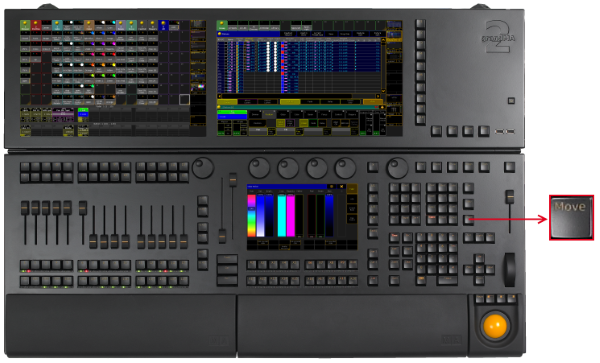
Location key Move
- Pressing Move enters the Move keyword into the command line.
As long as the keyword Move is in the command line you can move pool objects by
pressing and holding a pool object and move it with your finger to a new position of the pool object - or -
pressing and holding the key Move and moving pool objects by tapping a pool object and then tapping the new position of the pool object.
[Channel]> Move
- Pressing Move Move enters the Replace keyword into the command line.
[Channel]> Replace
- Pressing Move Move Move enters the Insert keyword into the command line.
[Channel]> Insert
- Pressing and holding MA + Move enters the Search keyword into the command line.
[Channel]> Search
Source: key_key_move.html (grandMA2 manual v3.9)